For this we will be using File Manager + (Since it seems the most popular at this time, most Downloaded), however the process should be similar on other apps that support sending files over the FTP protocol, some examples are CX File Explorer, AndFTP and if you would like an open source alternative check the guide below Download the and install the app from Google’s play store
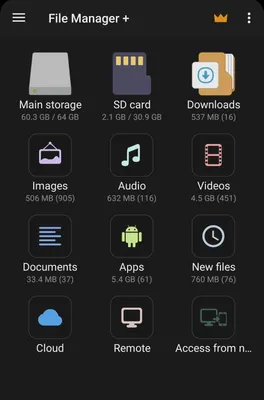
Now opening up the app will reveal it’s initial menu where you can access your local files, and also where you can connect to a remote FTP server, so tap where it says remote
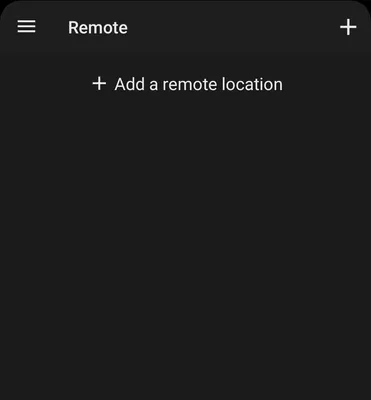
A new window should appear and there you can see your configured connections, however if you never used the app it should be empty displaying only a ”+ Add a remote location”
It should ask you for one last question which is the type of connection, in our case we will be using the FTP protocol, so select FTP
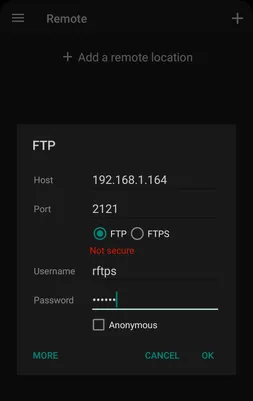
Here we will input the data RFTPS displays, so:
Host: Host
Port: Port
Username: Username
Password: Password
FTP or FTPS: You should always prefer FTPS(It’s FTP with encryption), however if you experience any issues then switch to FTP